 100 rounds
Digital download
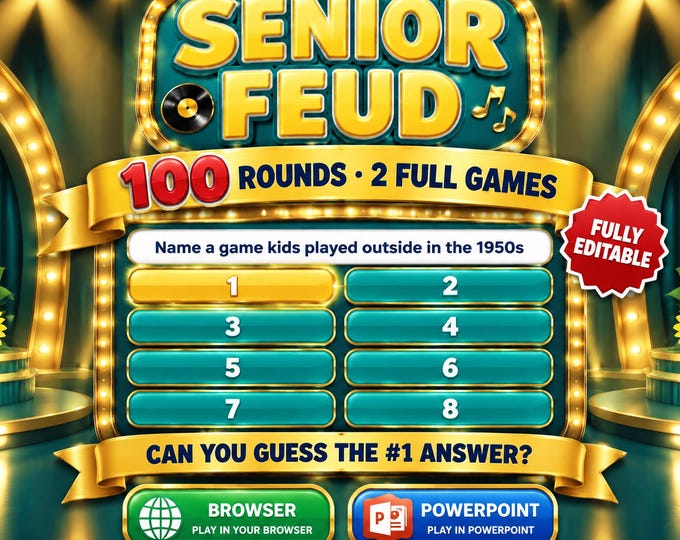
Senior Feud Game
Senior Feud Game, Editable Game Show for Seniors, 100 Rounds, Assisted Living Activity, Nostalgia Party Game for PowerPoint and Browser
- 100 rounds
- PowerPoint
- Browser game
- US Letter
- A4
- Editable
View price & reviews on Etsy. Digital files only: payment and download happen on our Etsy shop.
- Download right after checkout
- Print at home or work
- 5.0★ shop rating from 50 reviews on Etsy
Senior Feud turns any group into two teams for a fun, nostalgic game show! Guess the most popular answers to survey-style questions about the good old days and life today while the game keeps score for you. 100 rounds included (2 games of 50), fully editable, instant download.
How It Works
Put the game on a TV, projector or laptop. Show the question, and each team guesses the top answers. Click a tile to reveal a correct answer. A wrong answer gets a big red STRIKE. After 3 strikes, the other team can steal all the points! The points add up automatically, and the winner gets a confetti celebration.
TWO EASY VERSIONS (SAME 100 ROUNDS)
NOSTALGIC, WARM AND FUN
- Browser version (HTML): just double-click and play. Works on Windows, Mac and Chromebook. No PowerPoint, Google Slides or Keynote needed.
- PowerPoint version (.pptm): click-to-reveal answers and automatic scoring in desktop PowerPoint for Windows.
Easy To Start
A picture-by-picture START HERE guide walks you through setup, rules and a full example round.
This is an instant digital download. No physical item will be shipped.
Senior Feud is an independently made survey-style party game. It is not affiliated with, endorsed by or sponsored by any TV show, network or trademark owner.
What's Included
- 2 browser games (HTML): Game 1 (Good Old Days) and Game 2 (Golden Years), 50 rounds each
- 2 PowerPoint games (.pptm) with the same 100 rounds
- Printable Host Answer Key PDF for all 100 rounds
- Picture-by-picture START HERE guide PDF with rules and an example round
- On-screen editor to change questions, answers and points
- Themed sound effects, strikes, x2/x3 bonus rounds and a winner screen
Files Included
- Senior_Feud_HTML_Games.zip` - Game 1 and Game 2 for any web browser
- Senior_Feud_PowerPoint_Games.zip` - Game 1 and Game 2 as macro-enabled PowerPoint files
- Senior_Feud_Host_Guide.pdf` - 26-page printable answer key
- Senior_Feud_START_HERE.pdf` - 8-page setup and how-to-play guide
- No physical item will be shipped
Complete Game List
- Senior Feud Game 1 - 50 rounds, Good Old Days (browser + PowerPoint)
- Senior Feud Game 2 - 50 rounds, Golden Years (browser + PowerPoint)
Sample Questions
- Name something you'd order at a soda fountain
- Name something you'd find in grandma's purse
- Name a popular dance from the 1950s or 60s
- Name something grandpa always has in his pocket
- Name a famous movie star from the 1950s
- Name something grandkids call their grandmother
- Name a slang word from the 1950s or 60s
- Name something you'd find in a junk drawer
- Name a 1970s fad or craze
- Name something you'd find at a county fair
Why Buyers Will Like It
- Ready to play in minutes, with no prep and no printing needed
- The game keeps score: points, strikes and the winner are all automatic
- Two games in one: Good Old Days and Golden Years
- Big, easy-to-read screens: great on a TV or projector
- Warm and respectful: made for senior centers and family gatherings
- Works on almost any computer with the browser version
- Easy step-by-step guide with pictures
How It Works
- Purchase and download the files.
- Unzip the browser games and double-click Senior_Feud_Game_1.html. It opens in your web browser.
- Type your two team names and click START GAME. Connect to a TV or projector for the best fun.
- The host reads each question, clicks the correct answers, and awards points. Most points wins!
Printing Notes
- No printing is needed to play. The game runs on your computer screen.
- Print the Host Answer Key so the host can check answers. It's US Letter size and also prints on A4.
- Browser version: works in Chrome, Edge, Safari and Firefox on Windows, Mac and Chromebook.
- PowerPoint version: needs desktop Microsoft PowerPoint for Windows with macros enabled. It does not work in Google Slides, Keynote, Canva or PowerPoint Online. The guide shows how to unblock and enable it in 4 easy steps.
Senior Feud GameInstant download from our Etsy shop
Buy this game on EtsyYou might also like
More powerpoint party games →
Senior Feud GameBuy on Etsy