GoodHolidayStore planning guide
Print Healthcare Games Without Shrinking Them Twice
Your printer says “two pages per sheet” and the download is already 2-up. Tick both and you get game pages the size of a postage stamp. Open the file first, leave pages-per-sheet at one and print a single test page before the whole bundle.
Check what the filename is telling you
Match the paper size and layout
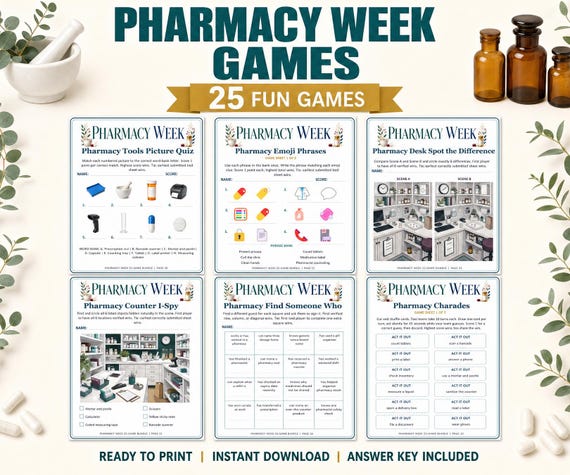
Start with the paper in your tray: A4 or US Letter. Open that edition, then decide between full-page and the prepared two-up layout. The Pharmacy Week bundle supplies the same 25 activities in four fixed PDFs: 40-page full-size files and 22-sheet landscape two-up files, in both paper sizes.
Those are alternative editions of one collection. You don't need to print all four files. Choose one layout for your selected activity, and leave the rest available in case a different occasion calls for larger or smaller pages.
Before selecting the print range, locate player pages, host directions and answer keys. A download's total page count includes material you won't need to hand to every player. Write down the pages you actually want; that's the number that matters for this event.
Decide what your players need to see
Start full-size for detailed pictures
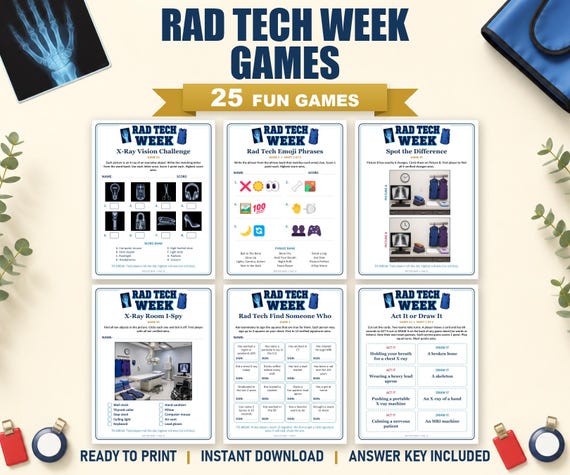
Rad Tech Week Games has 39-page full-size PDFs and 21-page two-per-page PDFs, with A4 and US Letter editions. Its listing recommends full-size when readability is the priority and color printing especially for picture games.
Try full-page for I-Spy, small picture differences or substantial writing. Try the supplied compact edition when the smaller text and answer spaces still work for your group. Don't make everyone squint just because the half-sheet looks tidy on the table.
| Bundle | Full-size edition | Prepared two-per-page edition |
|---|---|---|
| Pharmacy Week | 40 pages | 22 landscape sheets |
| Rad Tech Week | 39 pages | 21 PDF pages |
| Vet Tech Week | 35 pages | 18 PDF pages |
Both paper sizes are supplied for each bundle. These totals describe complete files, not the paper required for a single chosen activity. Some games span two pages. Rad Tech's listing specifically says its compact edition keeps connected pages together; two pages on a sheet doesn't always mean two complete games.
Set the printer once, then inspect the preview
Leave an already paired sheet paired
For the Pharmacy Week two-up PDF, print one PDF page per landscape sheet. The listing explicitly says the arrangement is already built in, so leave the printer's pages-per-sheet setting at one. Select Actual Size or 100% on the matching paper.
Check the preview for orientation and the complete page border. Don't apply another two-pages-per-sheet setting to this prepared file. That extra reduction is how a perfectly readable layout becomes a much smaller one than you meant to print.
Follow each bundle's own print notes rather than treating the pharmacy instructions as a substitute for every file's guide. Rad Tech also specifies Actual Size or 100%. Vet Tech supplies full-page and two-per-page options; open the chosen edition and check its directions before sending copies.
Spend one sheet on a useful test
Test the hardest page to read
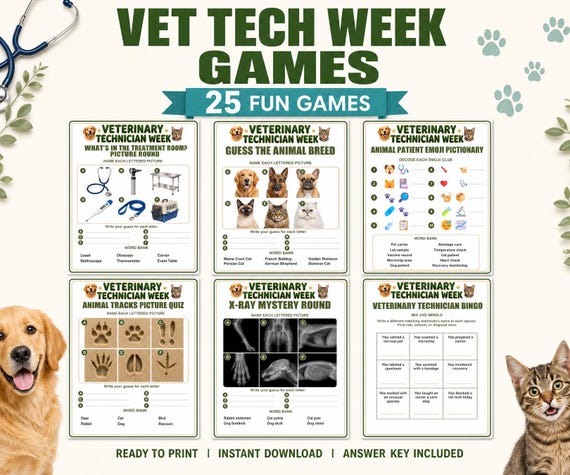
The Vet Tech Week bundle includes 35-page full-size and 18-page two-per-page PDFs in A4 and US Letter. Pick a representative player page from your selected game and print it once. Check text, answer spaces and any small details before copying for the group.
Try a pen on the paper. Look at the result in the actual room, rather than only beneath the printer light. If people need a larger layout, switch now. Your first sheet has done its job by finding that problem early.
Check for cropped borders as well. If the page doesn't fit your printer's printable area at the instructed settings, pause and check the paper selection and product directions. Don't print the whole stack while hoping the remaining pages will come out differently.
Count sets, cut and leave a note
Only cut after you've checked which halves belong together. If both pages form one game, preserve that connection. Keep answer pages with the organizer or place them in a clearly labelled self-check folder for your chosen unscored setup.
Count complete player sets, not loose sheets. One two-page quiz can look like twice as many ready handouts when it's sitting in an unassembled pile. Put the tested filename, orientation and page range in a short note for whoever prints the next batch.
If you're using a print shop, provide the chosen edition and its print directions, and request a proof before a larger run. You don't need a special paper purchase simply to test a layout; start with the white paper recommended in the pharmacy and Rad Tech listings.
For a station across shifts, put spare sets in a labelled envelope using the break-room setup plan. If you're planning spending as well as paper, the small-budget Nurses Week guide helps separate necessary supplies from optional extras. The right print is the one your players can comfortably read and complete.
Questions and answers
Should I choose two pages per sheet for the Pharmacy two-up PDF?
Leave pages per sheet at one. Its landscape arrangement is already built in; use matching paper and Actual Size or 100% as the listing directs.
Do four editions contain four collections?
No. It's one collection in four editions (two paper sizes, two layouts). Pick the one that matches your printer paper and how big you want the text.
Will two-up always give two complete games per sheet?
Not always. Some games span two connected pages, and Rad Tech's compact edition keeps those together. Check the game before you count handouts or cut.
Should I test in grayscale?
Print in color if you can; Pharmacy and Rad Tech both recommend it for picture detail. If you only have grayscale, test an I-Spy page first and switch to full-page if the details blur.